 monthlet
monthlet is a note app where you write and grow notes through AI chat. This article explains how monthlet works internally.
As mentioned before, a monthlet note is a single .html file. You can open it in a browser and read it without the monthlet app. Keeping that promise is what determines both the structure of a note and the structure of the app.
The structure of a note’s HTML file
When writing earlier about monthlet becoming an MCP server, I touched briefly on the fact that a note holds a block structure inside the same file, separate from the HTML that gets displayed. To put it plainly: a single note has three layers. A layer of note attributes, a layer of data the app edits, and a layer of HTML the browser renders. All three live together in one file.
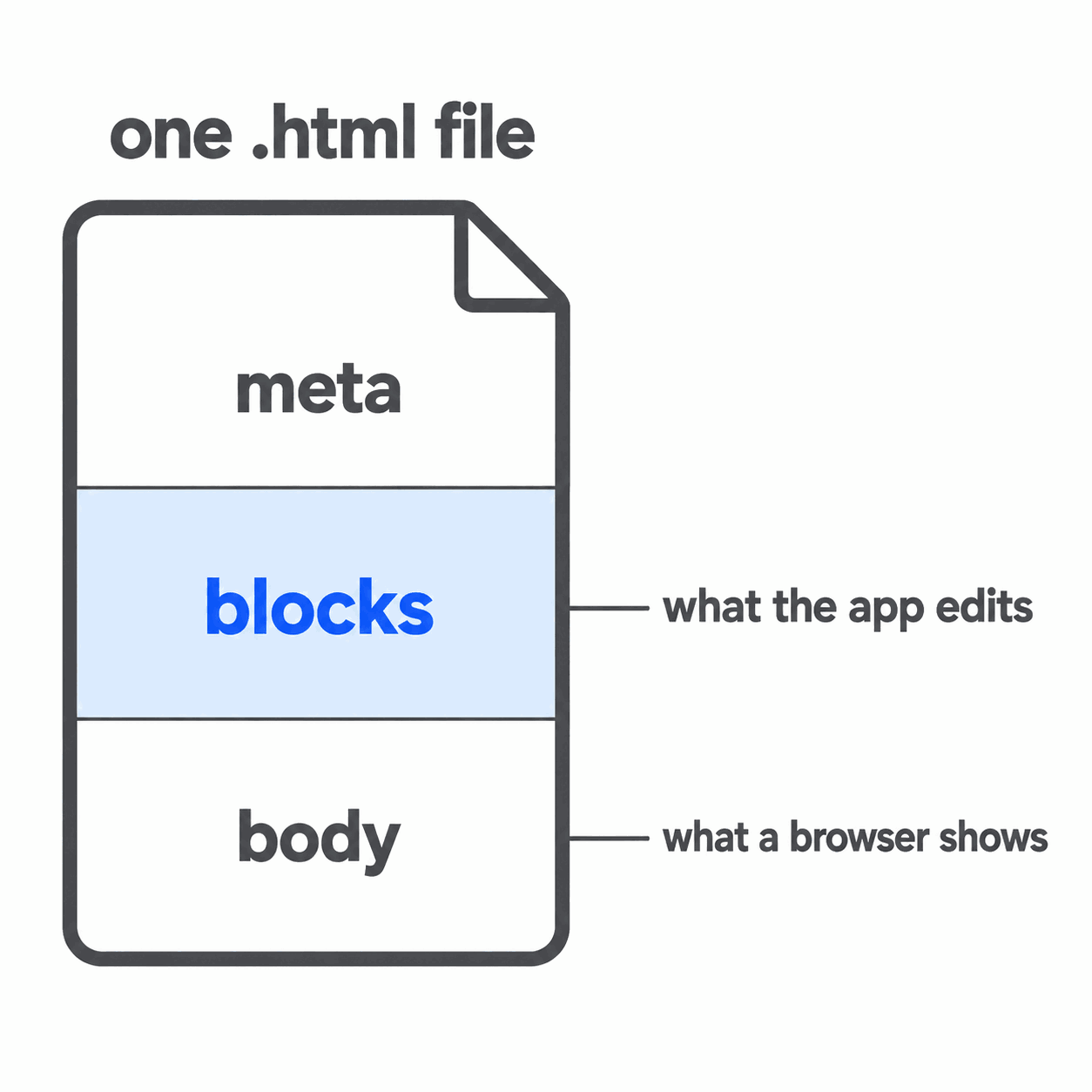
It might feel more natural to keep this information in separate files. You could store only the editing data and generate the display each time the file is opened.
monthlet does not do that. To keep the promise that a note opens in a browser, all three layers go into one file. A data-only file does not render nicely when opened in a browser. So the rendered HTML is always saved in the same file.
You could say the file structure itself is the specification. Having settled on this structure, the way the app is built is constrained by it.
Three processes, and what each one is allowed to hold
monthlet is built with Electron. It is split into three parts: the part that assembles the screen, the part that handles files and keys, and the part that mediates between them. The side that assembles the screen and the side that handles files and keys are not directly connected.
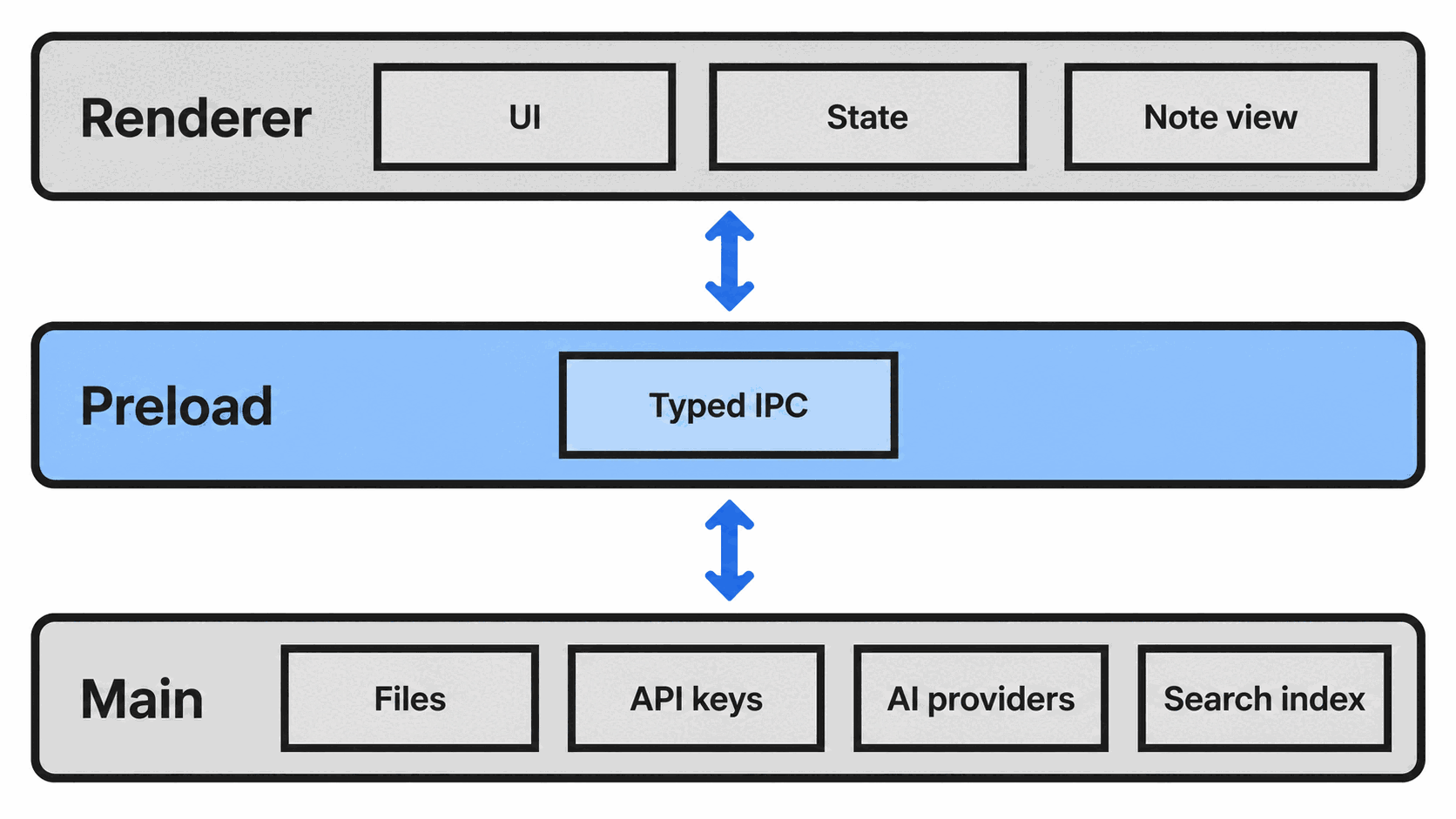
The interfaces to files, keys, and AI are not placed on the outermost layer. The side assembling the screen can only make requests through a fixed set of interfaces. Those interfaces sit in the middle layer, and anything not listed there cannot be requested.
This split is standard Electron practice and is nothing unusual. What differs from product to product is how much you expose as an interface, and monthlet keeps that surface narrow. The following sections describe those decisions.
What happens when chat rewrites a single line
From asking chat for a rewrite to seeing it on screen and stored in the file, the sequence goes like this.
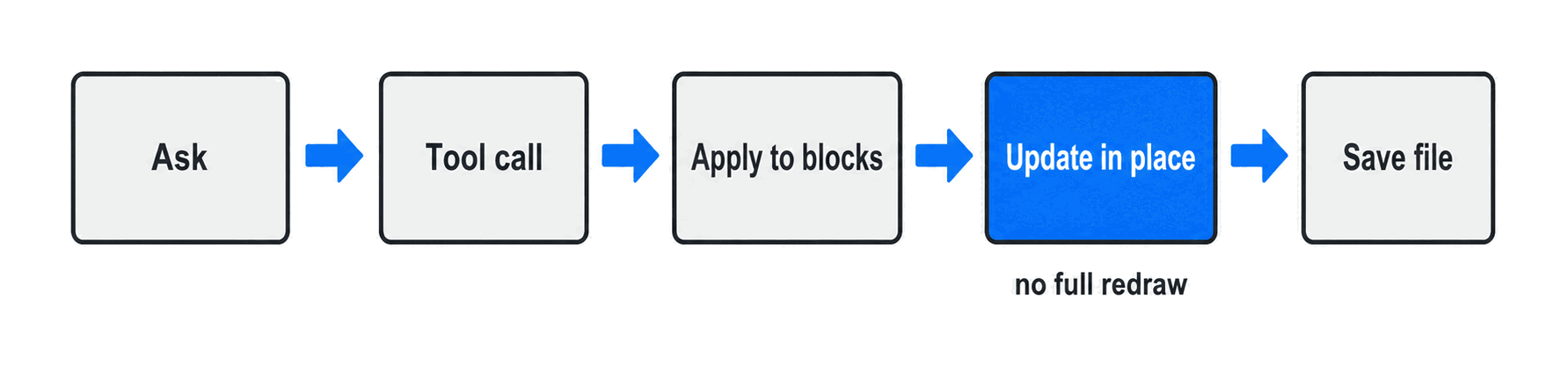
The AI calls a tool that says “change this part in this way,” and the app applies that to the block data. Only the affected part is swapped out on screen, and then the file is saved. The screen updates first, the save comes after.
At no point is the whole screen redrawn. Redrawing everything is simpler to implement, but in an app where the AI rewrites content continuously, the screen would refresh on every rewrite and you would lose the place you were reading. So only the changed part is updated.
While the AI is composing its answer, this flow does not run just once. A screen update and a save run for every confirmed operation. The display is rebuilt only when the structure itself changes, such as when internal links are rewired or blocks are reordered.
The things ruled out
So far this has been about what was built and how. From here on, it is about what was not built. Keeping the promise that a note is a single .html file removed some options.
There is no interface that reads out API keys. monthlet uses your own AI API key, but the key is encrypted and stored on your device, and the side assembling the screen cannot read it. All the screen side can call is a boolean for whether a key is present, plus save and delete. Since no function returns the value, it cannot accidentally appear on screen or be written to a log.
Block ids are not generated by the AI. When the AI rewrites a note, it needs a marker for which part to rewrite. monthlet divides note content into units called blocks, each with an id. That id is assigned by the app’s own mechanism, not by the AI. The tool inputs handed to the AI have no field for an id. The AI supplies only the type, the content, and any nested children; the app attaches the id afterward.
If the AI produced the ids, the destination of a rewrite would stop being trustworthy. It might point at an id that does not exist, or reuse the same id twice. Building differential rewrites on top of a shaky addressing scheme leads to a specific kind of breakage: the place you thought you fixed is not actually fixed.
Data and display are never written separately. A single .html file holds both the data the app edits and the HTML the browser displays. If those two drift apart, you end up with a note that looks one way in the app and another way in a browser. When the file structure itself is the specification, that state is a broken promise. So saving always runs in the same order: update the data, regenerate the display HTML from it, and replace the whole file. There is no path that writes only one side.
The four places you touch to add one interface
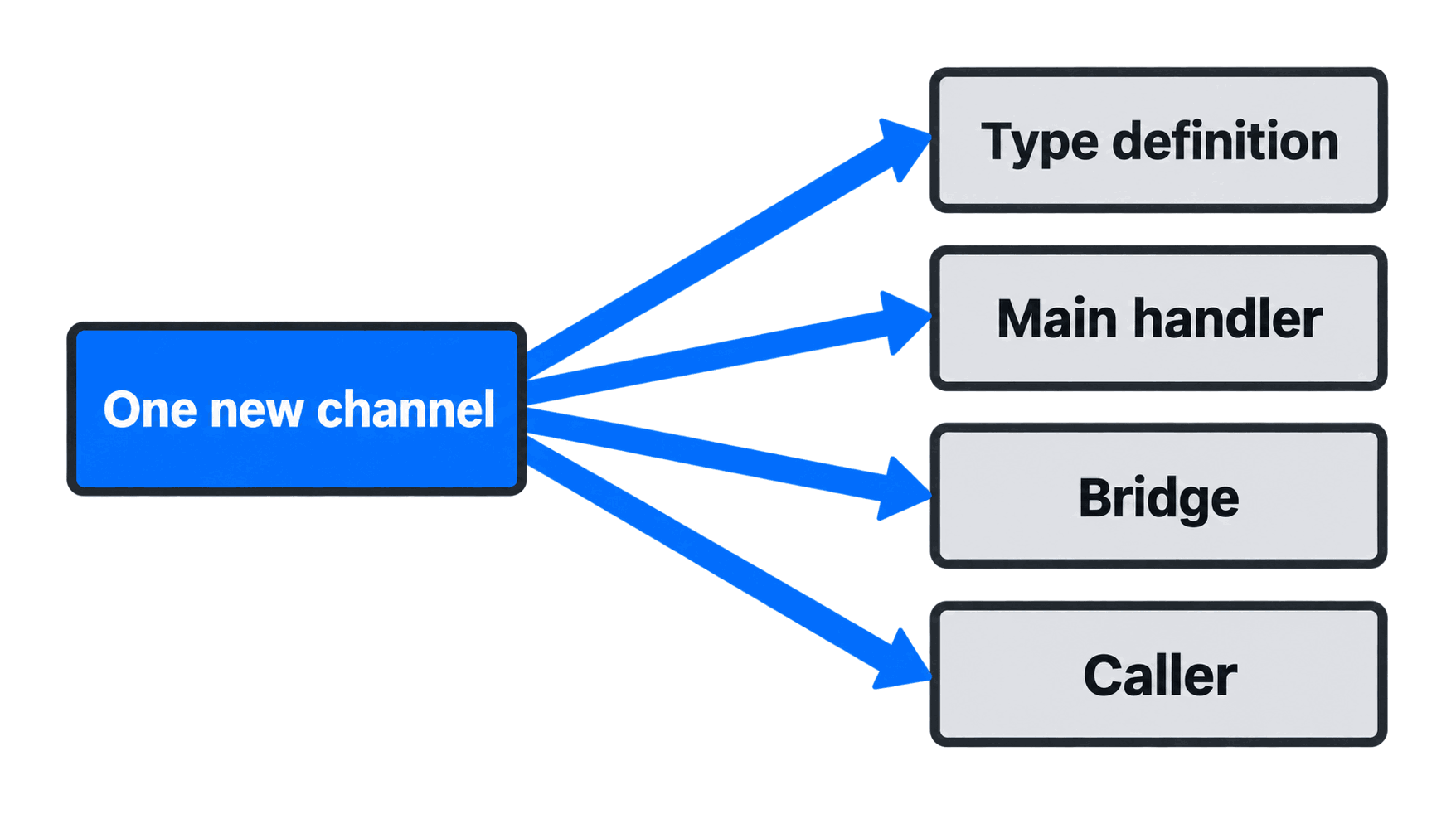
To let the screen side request something new, you add one interface. When you do, four places change at the same time: the type definition, the handler on the receiving side, the mediating layer, and the caller.
What’s next
A Windows version is in preparation.
Having a fixed file format helps with support for other platforms too. Because notes are HTML, the display side does not change from one OS to another. What differs per OS is the outer layer — where files are placed, how keys are stored — and that is left to each OS’s own mechanisms. There is no need to duplicate the internals.
That does not mean nothing changes when porting to another OS. Path separators, menu ordering, and how notifications are shown all differ. But not having to rewrite the reading and writing of notes themselves reduces the work involved in porting.
Try it
monthlet is currently distributed for macOS (Apple Silicon). (Added October 2026) The Windows version is now on the Microsoft Store. Enter your own AI API key and all features are available.
- Download: https://monthlet.ai/download
- Discord: https://discord.gg/aP4Hc7cJGU
- X: https://x.com/monthlet
- YouTube: https://www.youtube.com/@monthletofficial