 monthlet
Some notes come out roughly the same shape every time — meeting minutes, weekly reviews. You line up the headings, decide the table columns, drop in a checklist. The setup before you write anything is a small but real chore.
From 0.16.0, note templates are bundled with the app. Ask in chat, and a note gets created from a template.
How to use it
Ask in chat: “Create this with the Weekly review template.” There is no template item in settings or in the menus. You just ask the AI in chat.
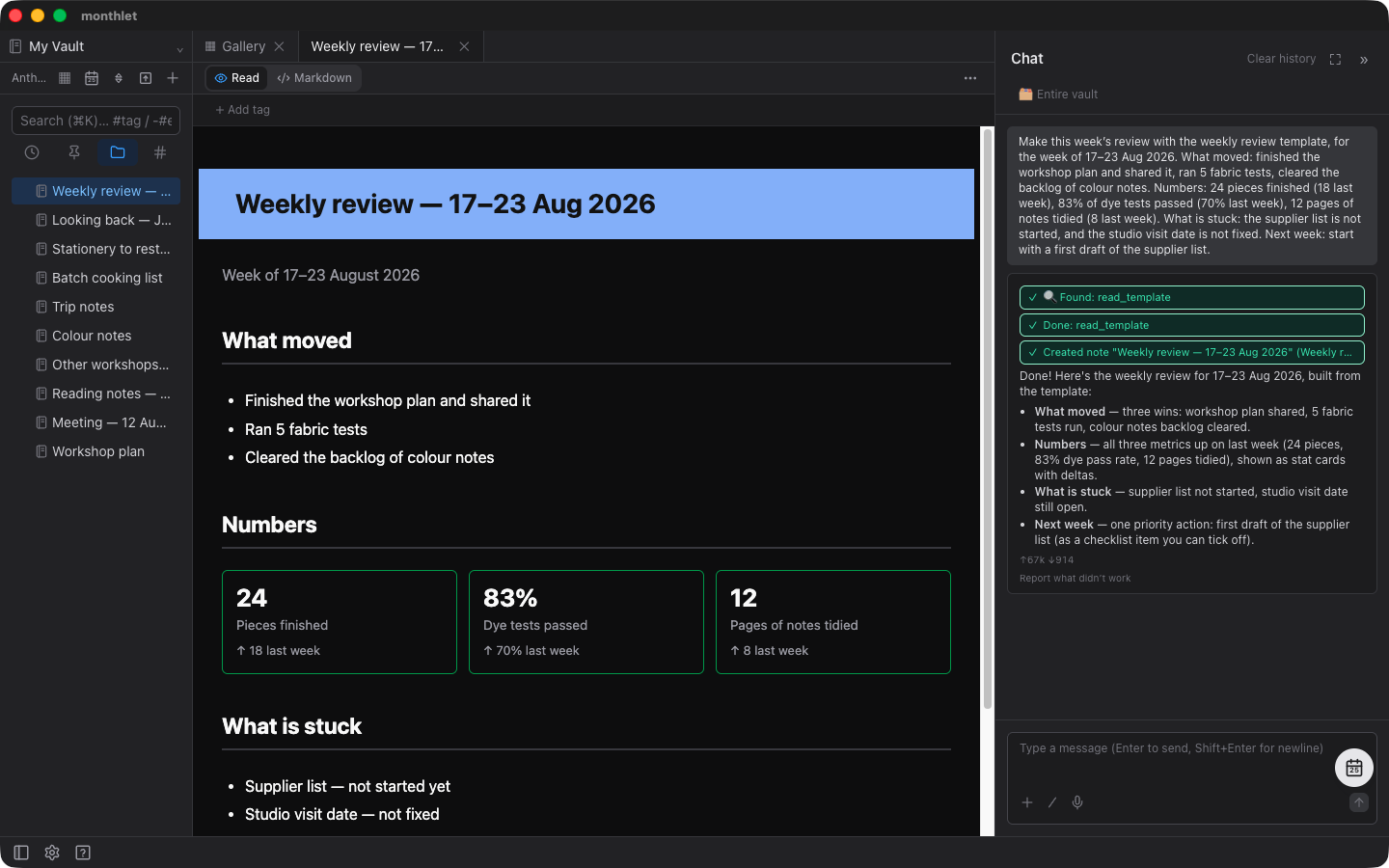
You can give instructions about the content at the same time. Ask for “minutes for yesterday’s meeting, with this agenda,” and you get a note where the content is already filled in along the structure. You can also specify the note’s name and where it should be placed.
What’s bundled
Two templates are included right now.
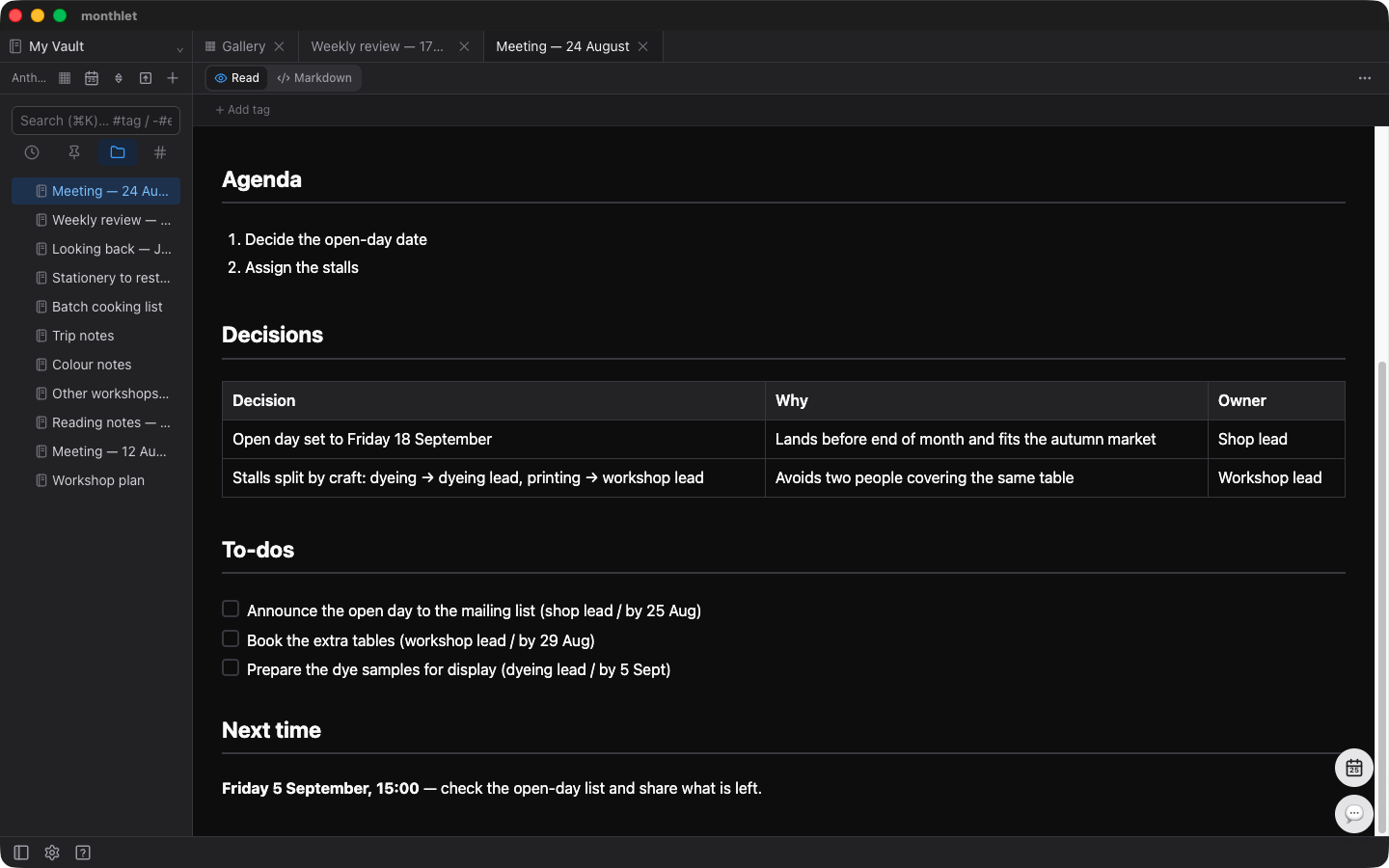
The Meeting notes template covers Date / place, Attendees, Agenda, Decisions, To-dos, and Next time. Decisions are laid out as a table of what was decided, why, and who owns it. To-dos are a checklist.
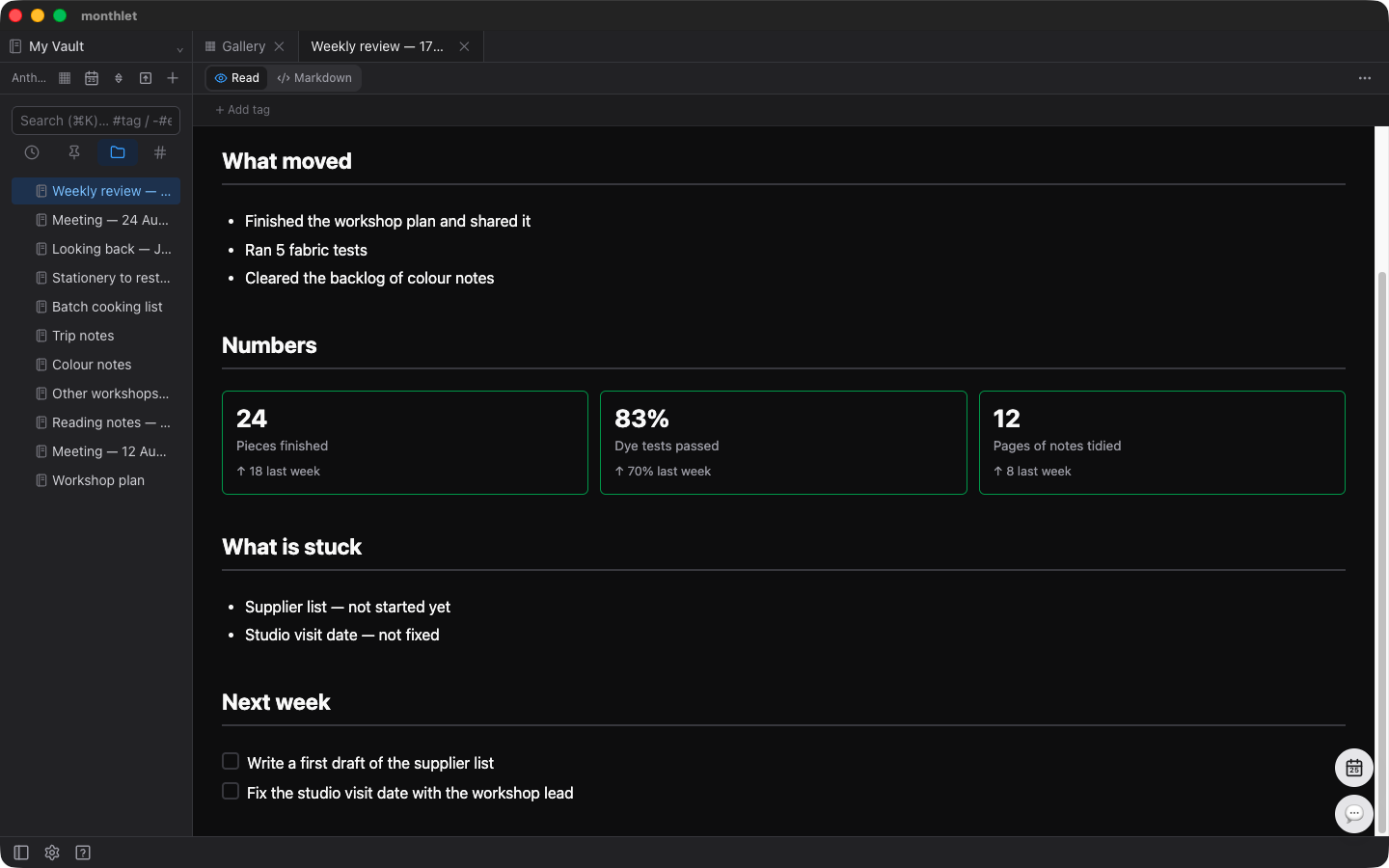
The Weekly review template covers Period, What moved, Numbers, What is stuck, and Next week. The Numbers section is a row of tiles showing a metric and its change from the previous week.
What gets handed over is only the structure
A template holds headings, table columns, and check items. The content stays empty, and the AI writes it based on what you asked for.
Naturally, the same template produces a different result every time.
The flip side is that naming a template alone won’t fill in the content. If you only ask for “the Weekly review template,” you get a container: headings and blanks. What goes into it depends on the material you provide. Pass along what moved forward, the numbers, and what’s stuck, and it comes back filled in.
For Meeting notes, if you ask for “minutes for yesterday’s meeting — we decided the release date and the owners,” you get a note with the agenda laid out, rows in the decisions table, and check items in the to-do list with owners and due dates. After that, all you add yourself is the finer detail of the discussion.
There’s a template per display language
Templates are prepared for each of the app’s display languages. If you’re using it in Japanese, the meeting minutes and weekly review headings come out in Japanese; in English, they come out in English. For languages that aren’t covered, the English structure is used.
They aren’t stored as files
In many apps, templates live in a dedicated templates folder. monthlet doesn’t do that. No template files are created inside your vault.
The reason is simple: templates are material for the AI to read. They aren’t something you open and read yourself, so there’s no need to keep them as notes. What stays in the vault is only what you wrote.
The AI is told upfront that templates exist
There was one thing to be careful about in the design. If you don’t tell the AI that templates are bundled, it will write from scratch.
It assembles the headings it was asked for, returns something that looks about right, and reports that it’s done. The result looks plausible enough that you never notice a bundled template existed.
So the list of templates is always passed to the AI. It knows what’s available first, and when one is specified, it reads the template before building the note.
What’s next
There are two for now, but there are other patterns of reusable notes: reading notes, one-on-one records, incident records. When we add them, they’ll be handed over the same way — as templates.
Try it
Note templates are available from 0.16.0. On a Friday evening, list three things you did that week and ask for the Weekly review template. Having one page ready changes how the following week starts.
monthlet is currently distributed for macOS (Apple Silicon). (Added October 2026) The Windows version is now on the Microsoft Store. Enter your own AI API key to use all features.
-
Download: https://monthlet.ai/download
-
Discord: https://discord.gg/aP4Hc7cJGU